
Refine Core:
Make format conversion part of editing
Refine Core is the foundation Piaoye Docs uses to handle content, formats, and editing state. For users, its purpose is to bring different file formats into a shared workflow.
parsing
rendering
editing
conversion
CORE
Multi-format support matters when you can keep working after importing a file.
Format support often ends at previewing. A more useful workflow lets you understand document structure, edit the content, and choose the next output format after importing.
Keep parsing, rendering, editing state, and export in one workflow to reduce version confusion when moving between tools.
Work with local files for tasks where retaining content, offline use, and everyday reliability matter.
Converted files should remain available for review and revision. Check the final layout before sharing, especially for files with complex images, tables, or pagination.
Keep content moving between formats.
Choose a format for your task, then use Piaoye Docs to continue working after conversion.
Use PDF for consistent reading, annotation, or archiving. Check page breaks and image positions before exporting.
Use Word to revise text, tables, heading structure, and final drafts.
Use Markdown for knowledge bases, documentation, and version-controlled publishing.
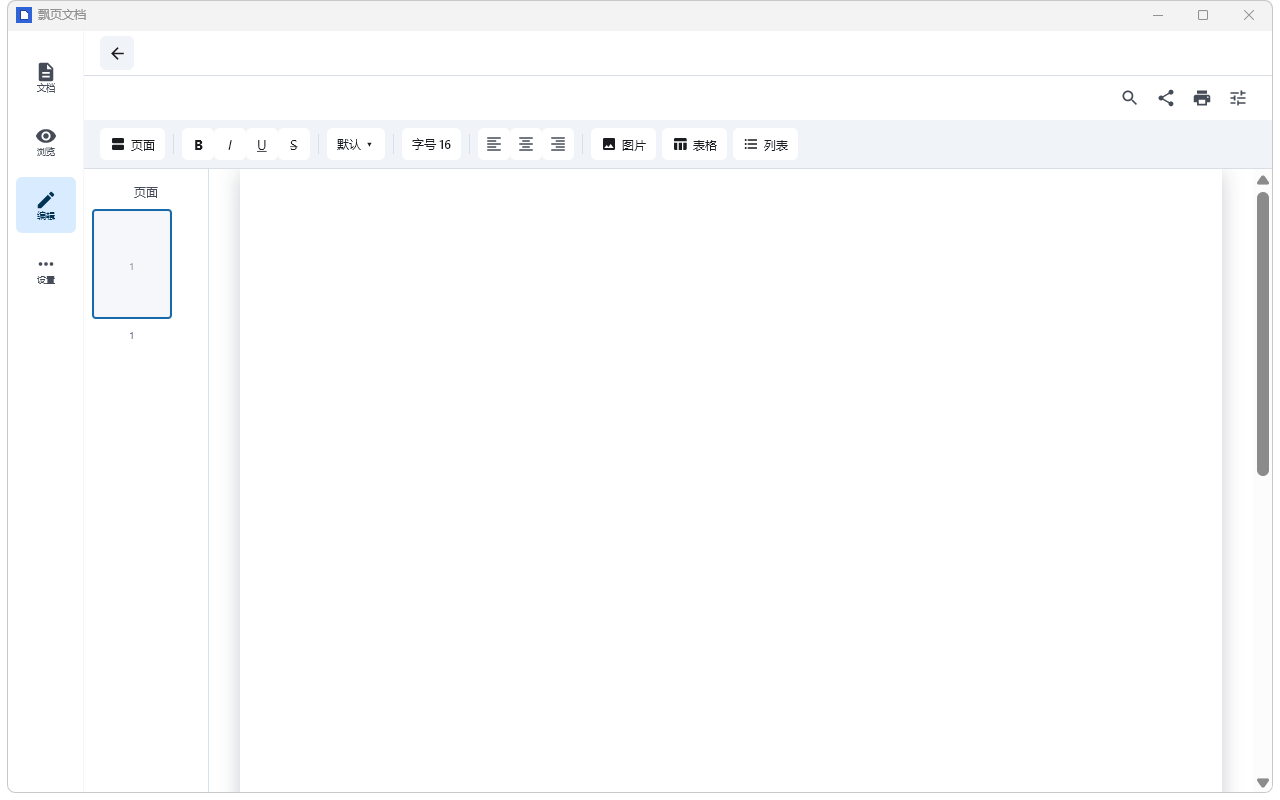
A focused interface with complexity only when needed.
The editor is where Refine Core's capabilities reach users. A clear hierarchy of page sidebar, document canvas, and toolbar helps users focus on their files without interruptions from ads, recommendations, or bundled offers.
Strengths
- Clear working modes
- Designed around document tasks
- Continue editing after conversion
Notes
- Review complex source files manually
- Each output format has its own limits
- Preview files before final delivery
Start with a real conversion
Use your everyday PDF, Word, and Markdown files to check whether converted content and layouts meet your needs.